
How an E-commerce Website Works: A Simple Human Guide to the Digital Storefront
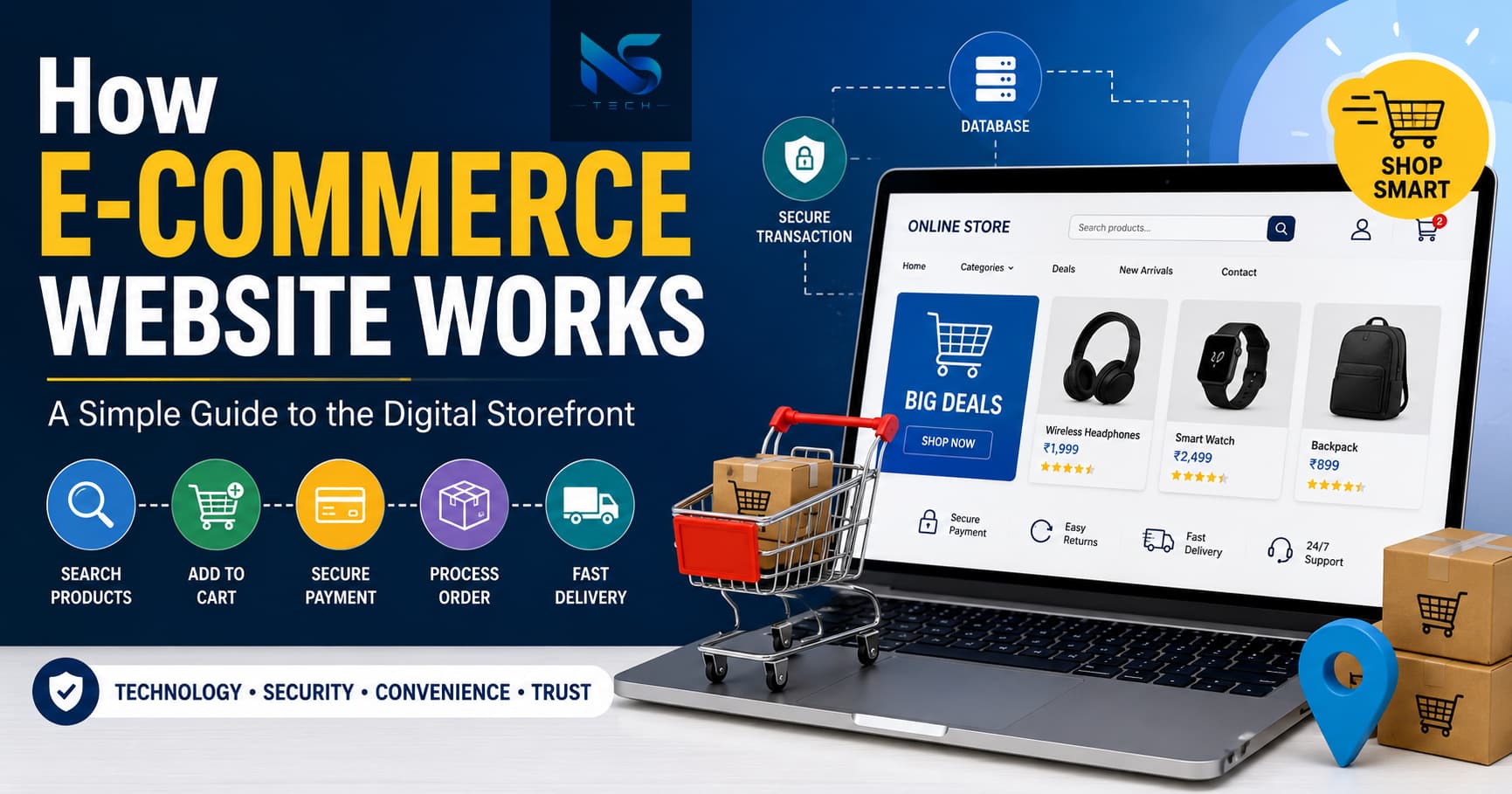
The way people shop has changed dramatically in the last few years. Earlier, buying something meant visiting a physical market, walking through stores, checking products with your own hands, and then making a purchase. Today, a person can sit comfortably at home, scroll through products on a mobile phone, place an order within minutes, and receive the item at the doorstep. That is the power of an e-commerce website.
But have you ever wondered what actually happens behind the scenes when you click the “Buy Now” button? An e-commerce website may look simple from the outside, but internally it is a combination of technology, design, databases, payment systems, logistics, and customer management working together continuously.
In this blog, we will understand in a very practical and easy way how an e-commerce website works from start to finish.
What is an E-commerce Website?
An e-commerce website is an online platform where businesses sell products or services through the internet. Instead of a physical shop, the website acts as a digital store where customers can browse items, compare prices, place orders, and make payments online.
Popular examples include Amazon, Flipkart, and Meesho.
However, e-commerce is not limited to giant companies. Even small businesses, local shops, clothing brands, grocery stores, and startups now create their own websites to sell directly to customers.
The Main Parts of an E-commerce Website
To understand how an e-commerce website works, first we need to understand its important components.
1. Frontend (What Customers See)
The frontend is the visible part of the website. It includes:
- Homepage
- Product pages
- Search bar
- Shopping cart
- Checkout page
- Login and signup pages
This is where customers interact with the store. A good frontend should be clean, fast, mobile-friendly, and easy to use.
For example, when you search for shoes online and see product images, prices, ratings, and descriptions, all of that is part of the frontend.
2. Backend (The Brain of the Website)
The backend is the hidden system that manages everything behind the scenes.
It handles:
- Product data
- Customer accounts
- Orders
- Payments
- Inventory
- Shipping information
When a customer places an order, the backend processes the request and updates the database automatically.
Without the backend, the website would only be a static page with no functionality.
3. Database
The database stores all the information of the website such as:
- Product details
- Customer information
- Order history
- Payment status
- Stock quantity
Think of the database as a digital warehouse of information.
Whenever you search for a product, the website fetches data from the database and displays it instantly.
Step-by-Step: How an E-commerce Website Works
Now let us understand the complete flow in a real-world manner.
Step 1: Customer Visits the Website
Everything starts when a user opens the website using a browser or mobile app.
The website loads:
- Product categories
- Featured items
- Offers and banners
- Search options
Modern e-commerce websites are designed to load quickly because users usually leave slow websites within seconds.
This is why speed optimization is extremely important.
Step 2: Browsing and Searching Products
Customers can:
- Search for products
- Filter by price or category
- Read descriptions
- View images and reviews
For example, if someone searches for “wireless headphones,” the website sends a request to the backend, which checks the database and returns matching products.
This process happens within milliseconds.
Many advanced websites also use AI-based recommendations to show related products based on customer behavior.
That is why after searching for one product, you often see “Recommended for You” sections.
Step 3: Adding Products to Cart
When the customer likes a product, they add it to the shopping cart.
The cart temporarily stores:
- Product name
- Quantity
- Price
- Selected size or color
The cart acts like a real shopping basket in a supermarket.
At this stage, the website also checks whether the item is still available in stock.
Step 4: User Login or Registration
Before placing the order, most websites ask users to:
- Create an account
- Login with email or phone number
- Save delivery details
This helps businesses:
- Track orders
- Provide customer support
- Offer personalized experiences
Some websites also allow “Guest Checkout” to make purchasing faster.
Step 5: Checkout Process
The checkout page is one of the most critical parts of an e-commerce website.
Here, customers:
- Confirm products
- Enter shipping address
- Choose delivery method
- Apply coupons
- Select payment options
A complicated checkout process can increase cart abandonment.
This is why successful e-commerce companies keep checkout simple and user-friendly.
Step 6: Payment Gateway Integration
This is where online payment happens.
The website connects with a payment gateway that securely processes transactions.
Popular payment methods include:
- Credit cards
- Debit cards
- UPI
- Net banking
- Wallets
- Cash on Delivery
Payment gateways encrypt sensitive information to keep transactions secure.
When payment is successful:
- The gateway confirms the transaction.
- The website receives approval.
- The order gets placed automatically.
If payment fails, the order remains incomplete.
Security is extremely important here because customers trust the website with financial information.
Step 7: Order Confirmation
After successful payment, the website generates:
- Order ID
- Invoice
- Confirmation email or SMS
The customer receives all purchase details instantly.
At the same time, the backend updates:
- Stock quantity
- Sales records
- Customer order history
This automation helps businesses manage thousands of orders efficiently.
Step 8: Inventory Management
Inventory management is one of the most important systems in e-commerce.
Suppose only five pieces of a product are available. Once five customers purchase it, the website automatically marks the item as “Out of Stock.”
This prevents overselling.
Advanced systems even notify store owners when stock levels become low.
Step 9: Packaging and Shipping
Once the order is confirmed:
- The warehouse receives the order details.
- Staff pack the product.
- Shipping partners pick up the parcel.
The website then provides tracking updates to customers.
This is why customers can track orders in real time from dispatch to delivery.
Logistics integration is a huge part of modern e-commerce success.
Step 10: Delivery to Customer
Finally, the product reaches the customer’s address.
After delivery:
- Customers may leave reviews
- Return or replacement requests can be generated
- Loyalty points may be added
Good after-sales support increases customer trust and repeat purchases.
Technologies Used in E-commerce Websites
An e-commerce website is built using multiple technologies.
Frontend Technologies
- HTML
- CSS
- JavaScript
- React
- Next.js
These technologies create the design and user experience.
Backend Technologies
- Node.js
- PHP
- Python
- Java
- Laravel
These handle server-side logic and data processing.
Databases
- MySQL
- PostgreSQL
- MongoDB
These store all business data securely.
Cloud Hosting
Most modern websites use cloud hosting for:
- Better speed
- Scalability
- Security
- Backup systems
Cloud servers help websites handle heavy traffic during sales or festive seasons.
Why Security Matters in E-commerce
Security is one of the biggest priorities for any online store.
Customers share:
- Personal information
- Addresses
- Phone numbers
- Payment details
If security is weak, hackers can steal sensitive data.
That is why e-commerce websites use:
- SSL certificates
- Encrypted payments
- Secure authentication
- OTP verification
- Firewalls
Trust is everything in online business.
A single security breach can damage a company’s reputation badly.
Role of Mobile Phones in E-commerce
Today, most online shopping happens through smartphones.
Because of this, websites must be:
- Responsive
- Fast on mobile networks
- Easy to navigate on small screens
Many businesses also create dedicated mobile apps for smoother shopping experiences.
Mobile commerce, often called “m-commerce,” is growing rapidly across the world.
Importance of SEO in E-commerce
Even a beautiful website is useless if people cannot find it.
This is where SEO (Search Engine Optimization) becomes important.
SEO helps products appear in search engines when users search for related keywords.
For example:
- “Best gaming laptop”
- “Affordable men’s shoes”
- “Wireless earbuds under 2000”
Good SEO increases:
- Organic traffic
- Sales
- Brand visibility
That is why product titles, descriptions, page speed, and structured data matter a lot.
Challenges Faced by E-commerce Websites
Running an e-commerce website is not always easy.
Some common challenges include:
- Managing inventory
- Handling returns
- Website downtime
- Cybersecurity threats
- Payment failures
- Shipping delays
- High competition
Businesses must continuously improve technology and customer experience to stay competitive.
The Future of E-commerce
E-commerce is evolving very quickly.
Future trends include:
- AI-powered recommendations
- Voice shopping
- AR/VR product previews
- Faster delivery systems
- Drone deliveries
- Personalized shopping experiences
People now expect convenience, speed, and trust from online stores.
Businesses that adapt to new technologies will grow faster in the coming years.
Final Thoughts
An e-commerce website is much more than just a digital catalog. It is a complete ecosystem where design, technology, payment systems, databases, logistics, and customer service work together smoothly.
From the moment a customer visits the site to the final delivery of the product, dozens of processes happen silently in the background within seconds.
The real success of an e-commerce website depends on three major things:
- User experience
- Security
- Trust
When these three elements are strong, customers return again and again.
As online shopping continues to grow globally, understanding how e-commerce websites work is becoming increasingly important not only for developers and business owners but also for everyday users who interact with these platforms daily.
The digital marketplace is no longer the future — it is the present.